











How to Install TiviMate on FireStick
Install TiviMate on FireStick with Downloader code 272483, then add your IPTV playlist with Xtream Codes and enjoy a cable-style TV guide in just a few minutes.
Quick answer: Install Downloader, enter code 272483, allow unknown apps and install TiviMate. Open TiviMate, press Add playlist, choose Xtream Codes, enter your server address, username and password, press Next and then Done.
In this guide
What Is TiviMate on FireStick?
TiviMate is an IPTV player built for Android TV and Amazon FireStick. It is known for its clean, cable-TV style interface and its fast electronic programme guide. Like every IPTV player it has no channels of its own: you load a playlist from your IPTV provider and TiviMate organises it for you.
TV-style interface
A familiar cable guide made for the FireStick remote.
Multiple playlists
Add several playlists with TiviMate Premium.
Recording
Record live programmes and schedule recordings (Premium).
Fast EPG
A full TV guide that loads quickly and clearly.
What You Need Before You Start
FireStick device
Fire TV Stick, 4K, 4K Max or Fire TV Cube.
Internet connection
25 Mbps or more for smooth HD and 4K.
Downloader app
Free from the Amazon Appstore.
Xtream Codes login
Server address, username and password from 8K IPTV Strong.
Step 1: Install the Downloader App
Downloader is the free app used to install APK files on FireStick. If it is already on your device, skip to Step 2.
On the FireStick home screen, open Find and select Search.
Type Downloader, pick the orange Downloader app and press Get.
Open Downloader once it is installed and accept the permissions.

Step 2: Install TiviMate with Downloader Code 272483
Open Downloader and select the search bar.
Enter the TiviMate code 272483 and press Next or Go.

Wait a few seconds while the TiviMate APK downloads.
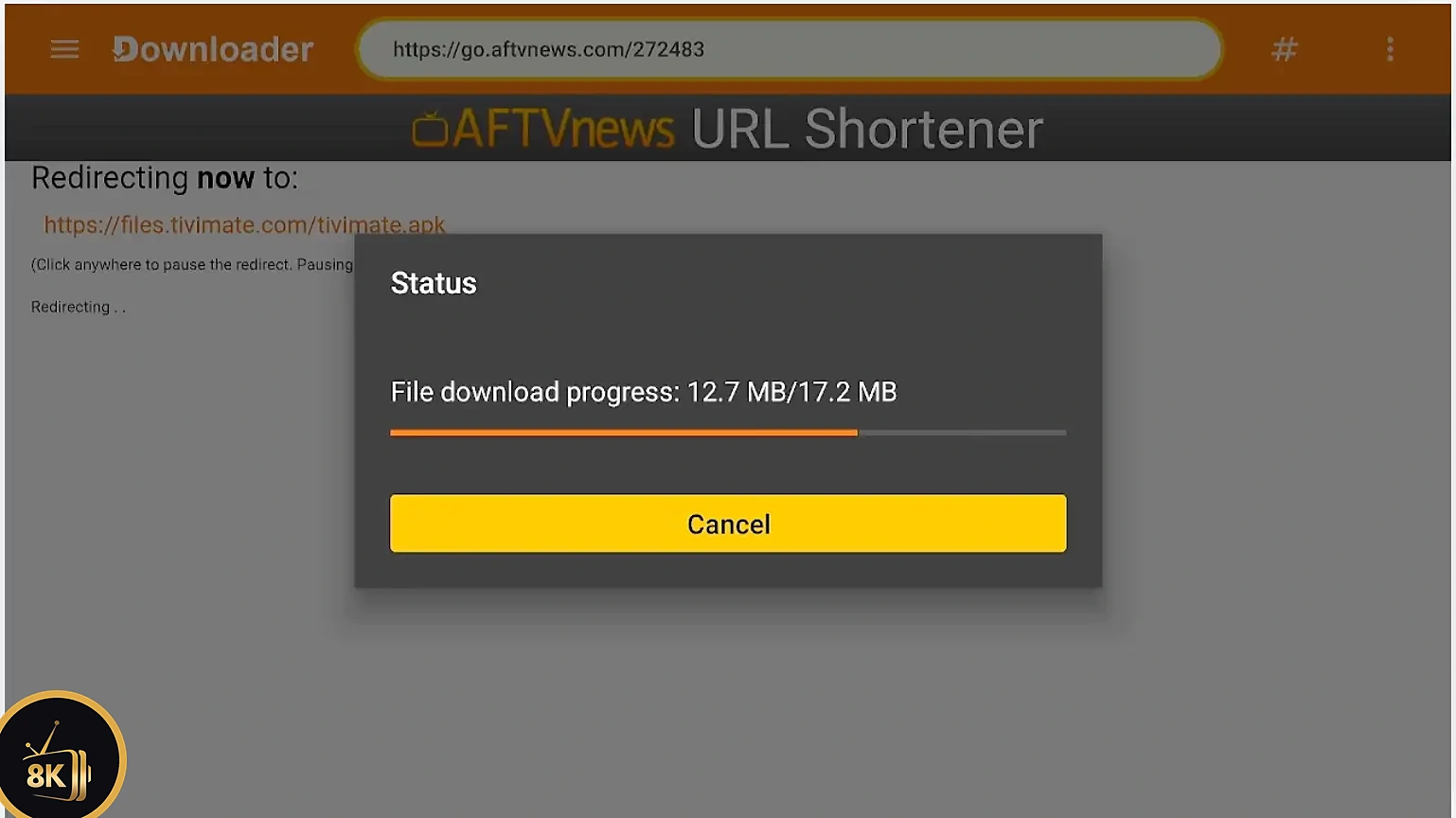
If a security message appears, press Settings.
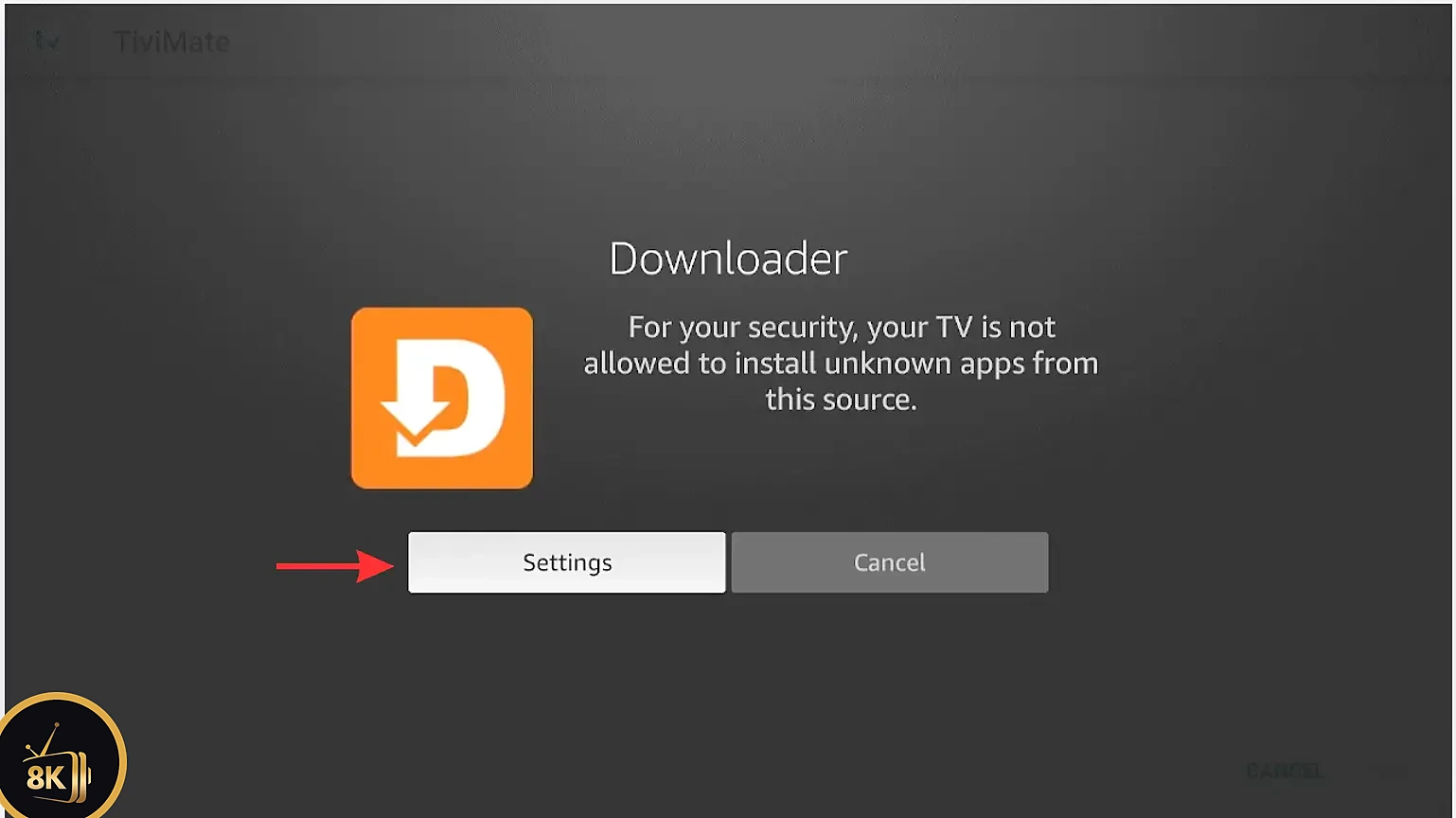
Select Install Unknown Apps.

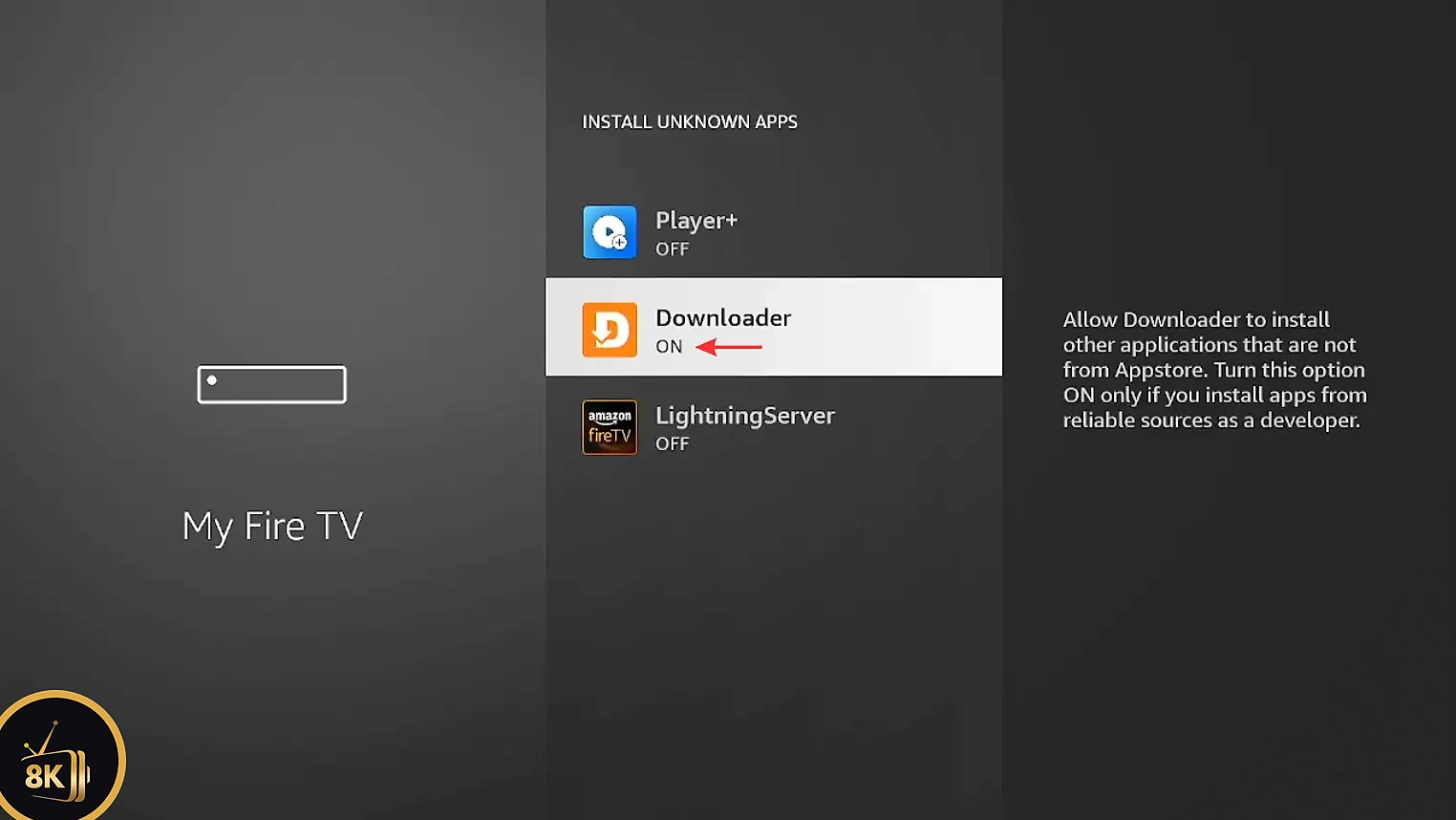
Find Downloader in the list.

Switch it from OFF to ON, then go back to the download.
Press Install to start installing TiviMate.

Press Install again to confirm.

Open TiviMate on FireStick. The app is ready, but it shows a message that you need to add a playlist. Tip: delete the APK in Downloader to free up space.

Step 3: Get Your Xtream Codes Login
TiviMate does not come with any channels. To watch live TV, movies and series you need a playlist from an IPTV provider. Start a free 8K IPTV Strong trial and you will receive your server address, username and password by email within minutes. See how to get your Xtream Codes step by step.
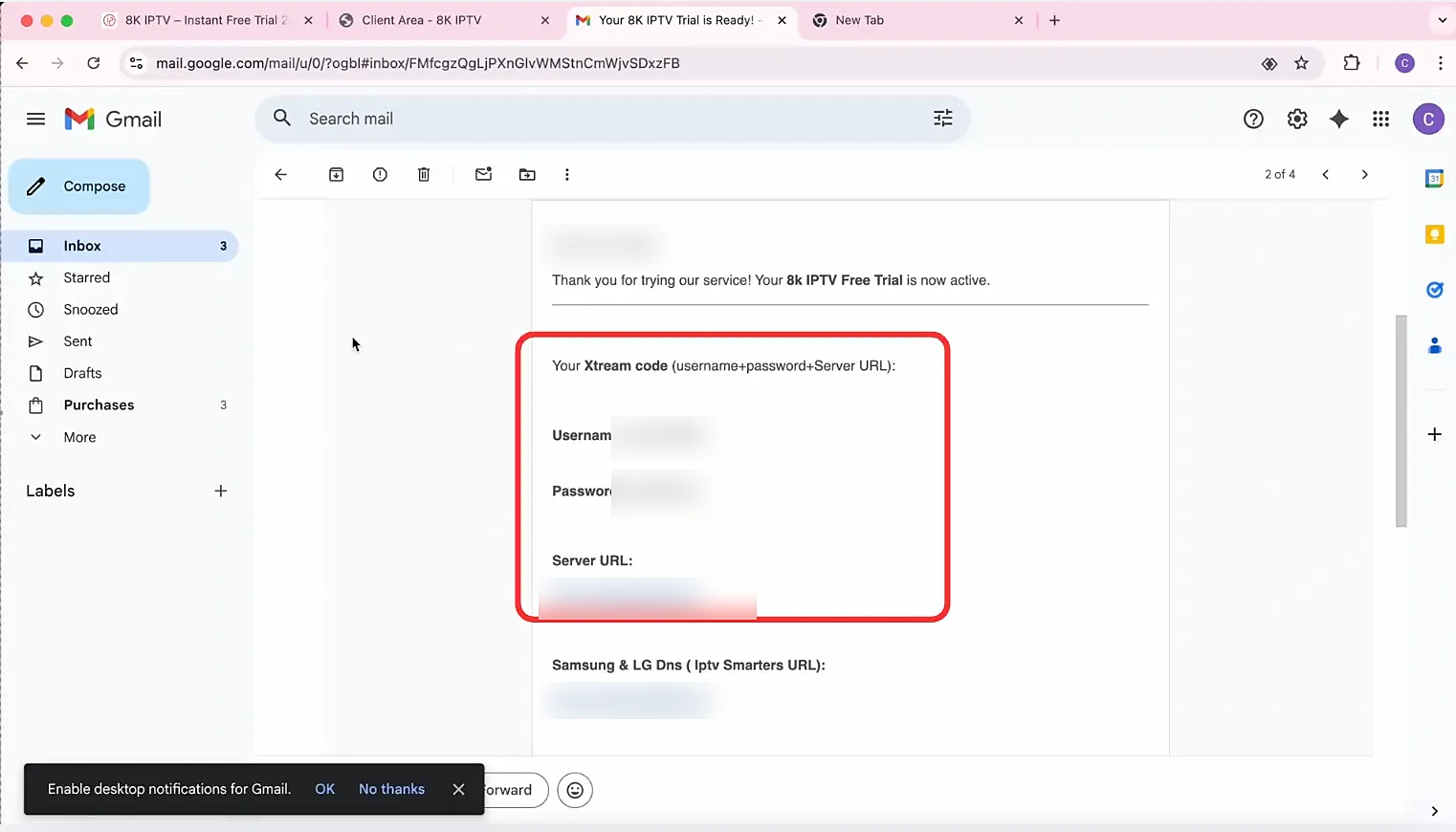
Get your Xtream Codes with a 24-hour free trial
Try 8K IPTV Strong with TiviMate on FireStick free for 24 hours. No payment needed, just your login details by email.
54,000+ channels
Live TV from around the world.
240,000+ VOD
Movies and series updated daily.
4K & FHD
Crystal clear picture quality.
24/7 support
Help with setup any time.
Step 4: Add Your Xtream Codes Playlist to TiviMate
Open TiviMate on FireStick and press the Add playlist button.

Choose Xtream Codes as the playlist type.

Enter the server address, username and password from your 8K IPTV Strong email. Keep Include TV channels and Include VOD ticked.
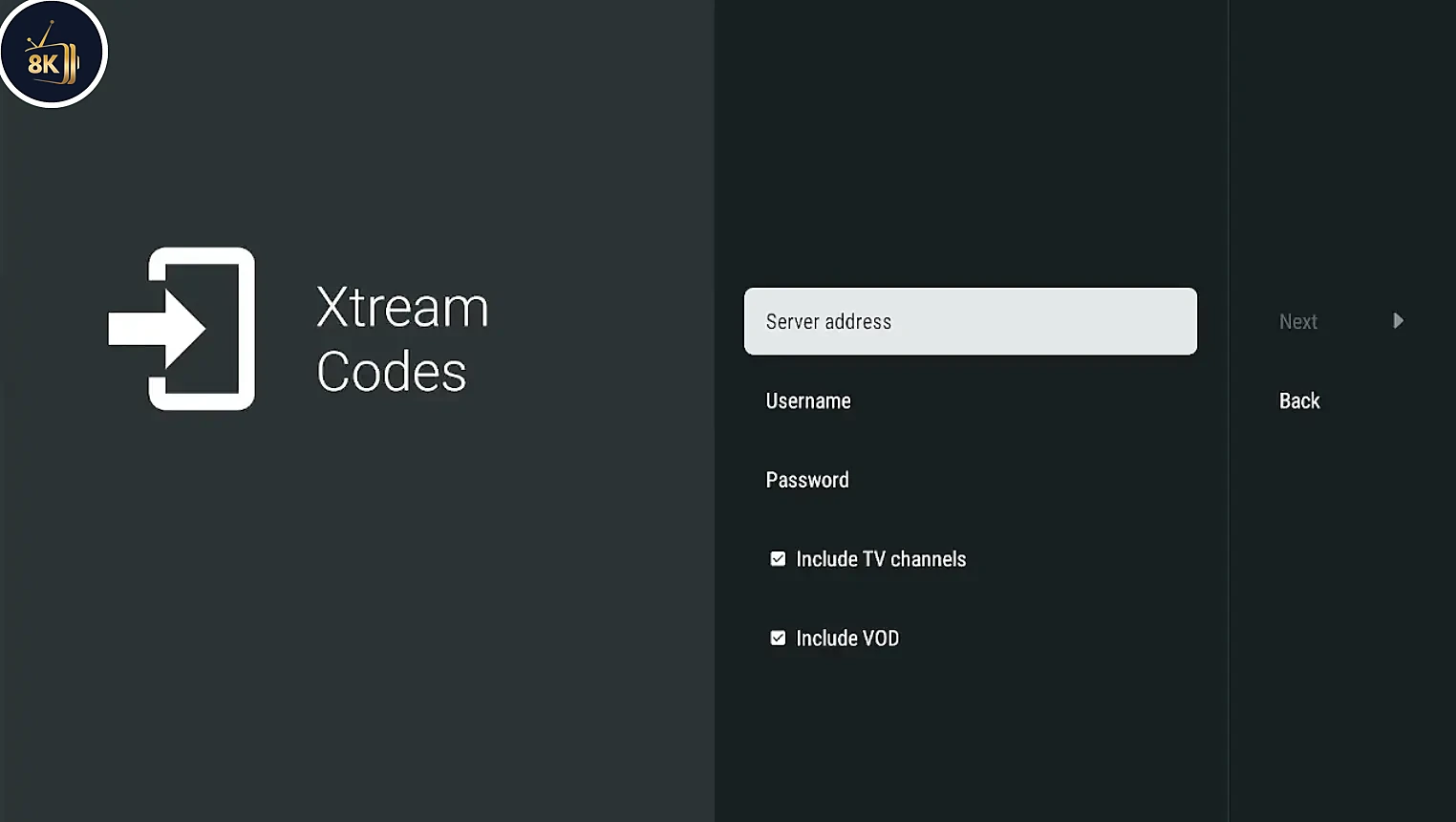
Check that everything is typed correctly, then press Next.

Wait until TiviMate shows Playlist is processed with the number of channels, movies and shows, then press Done.
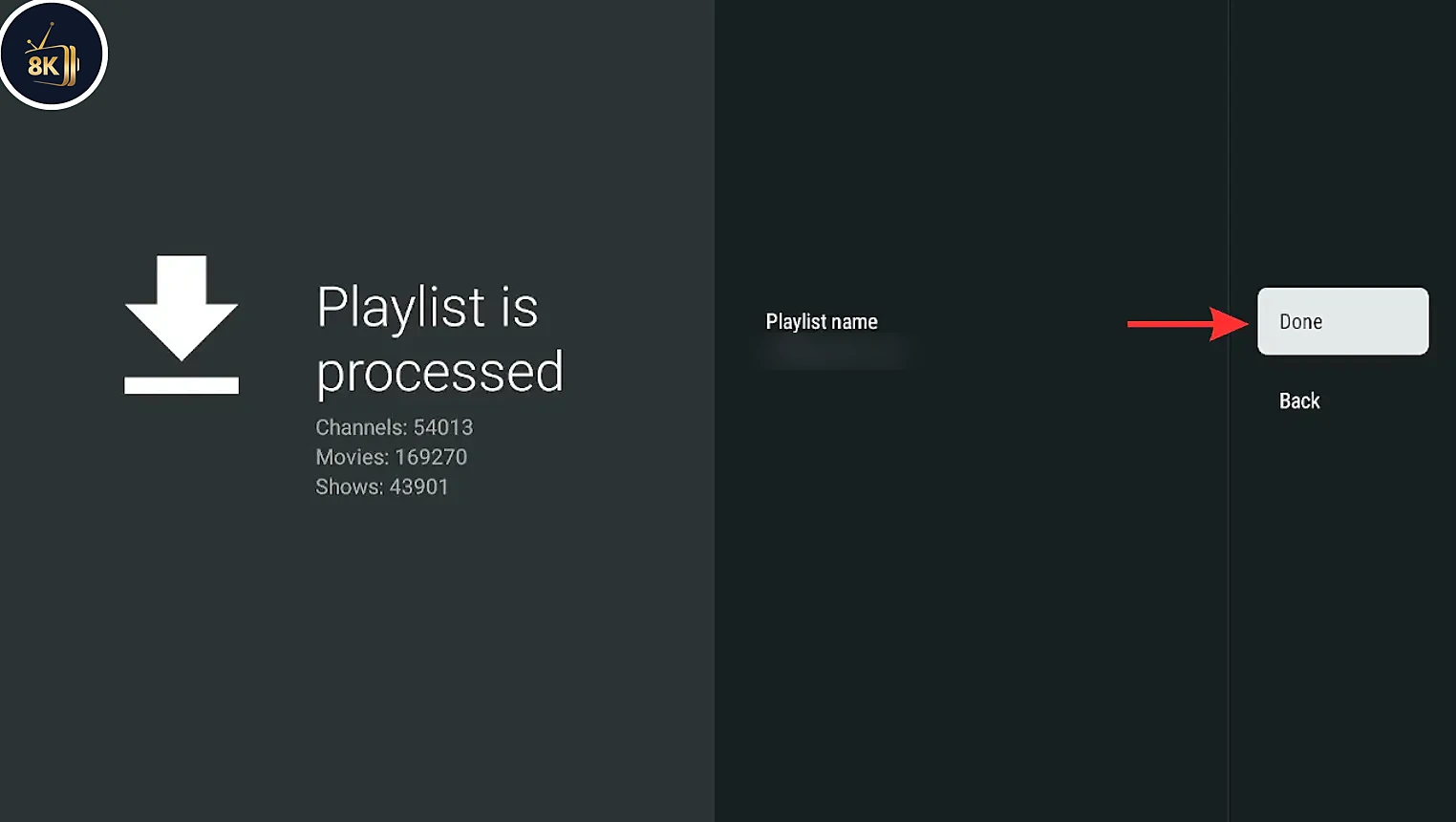
Setup complete. Browse the TV guide and start watching live TV, movies and series.

Your 8K IPTV Strong subscription runs on all the popular IPTV players for FireStick, Android, Smart TV and iOS.












Tips for Using TiviMate on FireStick
Use a stable connection
5 GHz Wi-Fi or an Ethernet adapter gives the smoothest playback.
Build your favourites
Long-press OK on a channel to add it to Favourites.
Update the EPG
In Settings > Playlists, update the EPG if the guide is empty.
Tune the player
In Settings > Playback, try a different buffer size if streams stutter.
TiviMate on FireStick Not Working? Quick Fixes
Playlist will not load
Check the server address, username and password character by character. The server address must start with http:// and include the port if one is given.
TV guide shows no information
Wait a few minutes after adding the playlist, then update the EPG from Settings > Playlists.
Channels buffer or freeze
Restart your FireStick and router, close background apps and lower the buffer size in the playback settings. Still stuck? Contact our support team.
Cannot add a second playlist
The free version of TiviMate supports one playlist. Multiple playlists require TiviMate Premium.
TiviMate on FireStick vs Other IPTV Apps
| App | Downloader code | Price | Login type |
|---|---|---|---|
| TiviMate | 272483 | Free / Premium | Xtream Codes / M3U |
| 8K IPTV App | 6883465 | Free | Username & password |
| IPTV Smarters Pro | 6468112 | Free | Xtream Codes / M3U |
| IBO Player | 511693 | Trial + activation | M3U via MAC & key |
Want to try another player? See our guides to install the 8K IPTV App, install IPTV Smarters Pro and activate IBO Player on FireStick, or browse the IPTV setup guide for all devices.
Frequently Asked Questions
Yes, TiviMate is free to install and use with one playlist. TiviMate Premium is an optional upgrade that unlocks extra features such as multiple playlists, recording, catch-up, favourites management and custom groups.
The Downloader code for TiviMate is 272483. Type it into the Downloader search bar on your FireStick and press Go to download the APK.
No. TiviMate is only an IPTV player. When you open it the first time it asks you to add a playlist from your IPTV service. With 8K IPTV Strong you get your Xtream Codes login by email right after you start your free trial.
Xtream Codes is the easiest choice: you only need a server address, username and password, and the TV guide, movies and series load automatically. M3U links also work if your provider gives you one.
TiviMate Premium is bought through the TiviMate Companion app on an Android phone. After purchase, sign in to your TiviMate account inside the app on your FireStick to activate Premium.
The EPG can take a few minutes to download after adding a playlist. Go to Settings, then Playlists, select your playlist and choose Update EPG.
TiviMate has a cable-TV style guide that is ideal for live channels, while IPTV Smarters Pro is simpler and strong for movies and series. Both work perfectly with 8K IPTV Strong.
Start your free 24-hour trial, get your Xtream Codes by email and enjoy 8K IPTV Strong with TiviMate on FireStick today.