











How to Install & Activate IBO Player on FireStick
Install IBO Player on FireStick in minutes with Downloader code 511693, then activate it by adding your M3U playlist. Follow these 4 simple steps with real screenshots.
Quick answer: To get IBO Player on FireStick, install Downloader, enter code 511693, allow unknown apps and install the APK. Then open IBO Player, note the MAC Address and Device Key, log in on the IBO Player website and add your M3U playlist. Refresh the app and start watching.
In this guide
What Is IBO Player on FireStick?
IBO Player is a popular IPTV media player for FireStick, Android TV, Samsung and LG Smart TVs. It does not provide any content on its own. Instead, it plays the M3U playlist or Xtream Codes account you get from your IPTV provider, with a clean interface and fast channel switching.
M3U & Xtream
Supports M3U links and Xtream Codes API logins.
Fast streaming
Quick channel zapping with very little buffering.
Live TV, Movies & Series
Organised sections for every type of content.
EPG TV Guide
See what is on now and next for every channel.
What You Need Before You Start
FireStick device
Any FireStick, Fire TV Stick 4K / 4K Max or Fire TV Cube.
Internet connection
At least 25 Mbps for smooth HD and 4K streaming.
Downloader app
Free from the Amazon Appstore, used to install the APK.
M3U playlist
Your 8K IPTV Strong M3U link from the free trial or plan.
Step 1: Install the Downloader App
Downloader is the free tool that lets you install apps on FireStick that are not in the Amazon Appstore. If you already have it, skip to Step 2.
From the FireStick home screen, go to Find and select Search.
Type Downloader, choose the orange Downloader app by AFTVnews and press Get or Download.
Wait for the install to finish, then open Downloader and allow any permission it asks for.

Step 2: Install IBO Player with Downloader Code 511693
Open Downloader and click the search bar (Enter a URL or Search Term).
Type the IBO Player code 511693 and press Go.
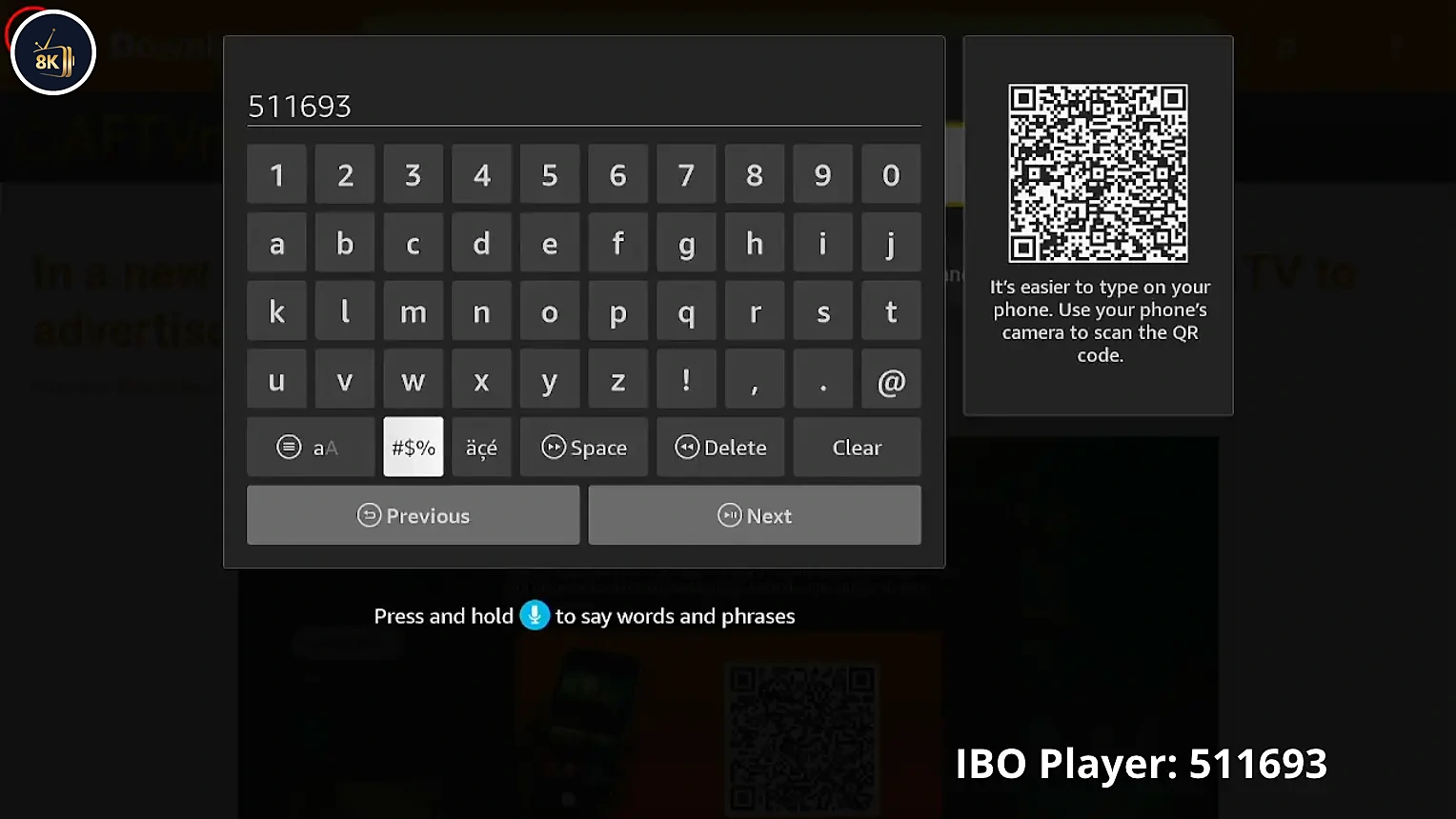
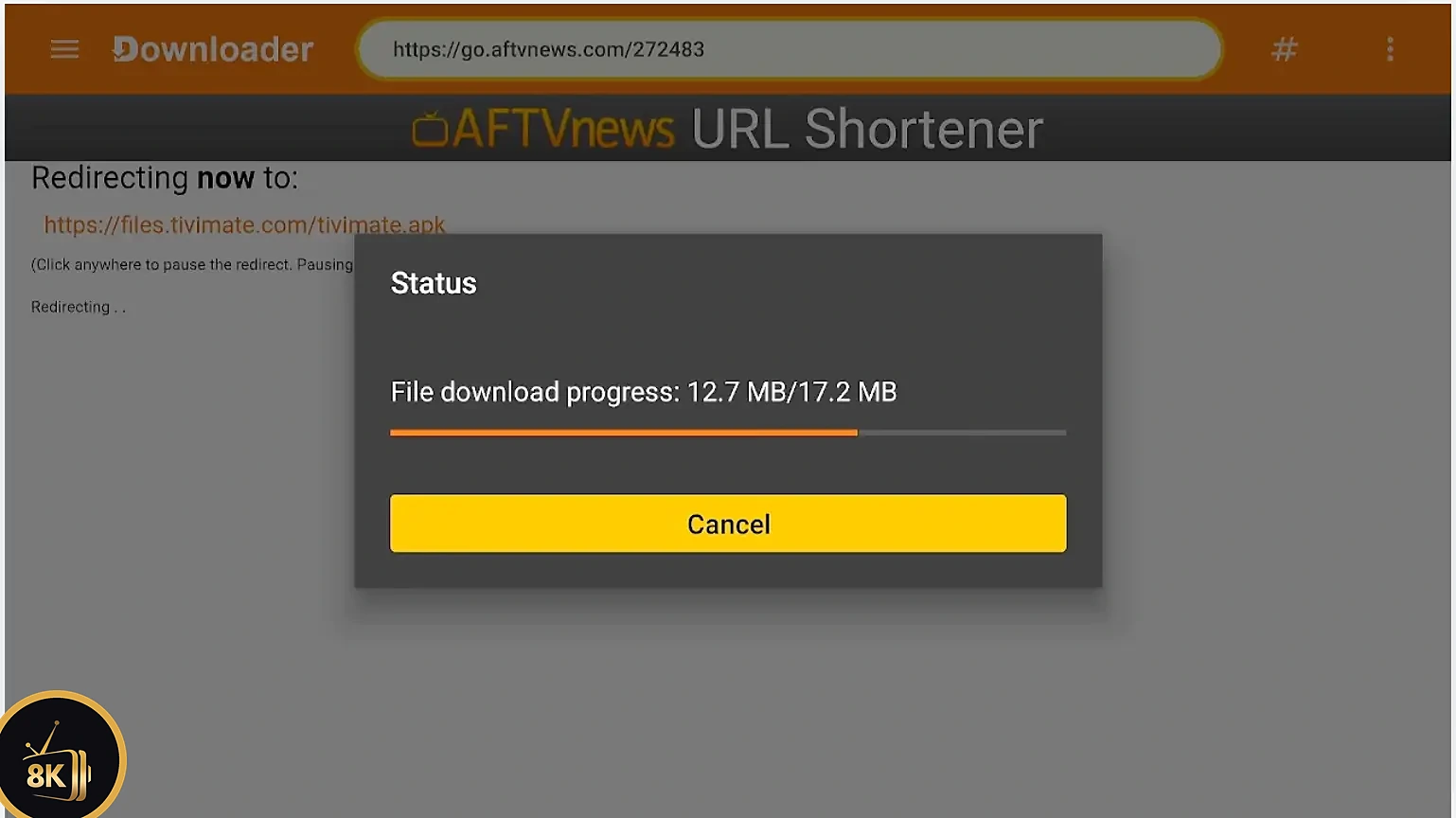
Wait a few seconds while the IBO Player APK downloads.
If FireStick shows a security message, press Settings.
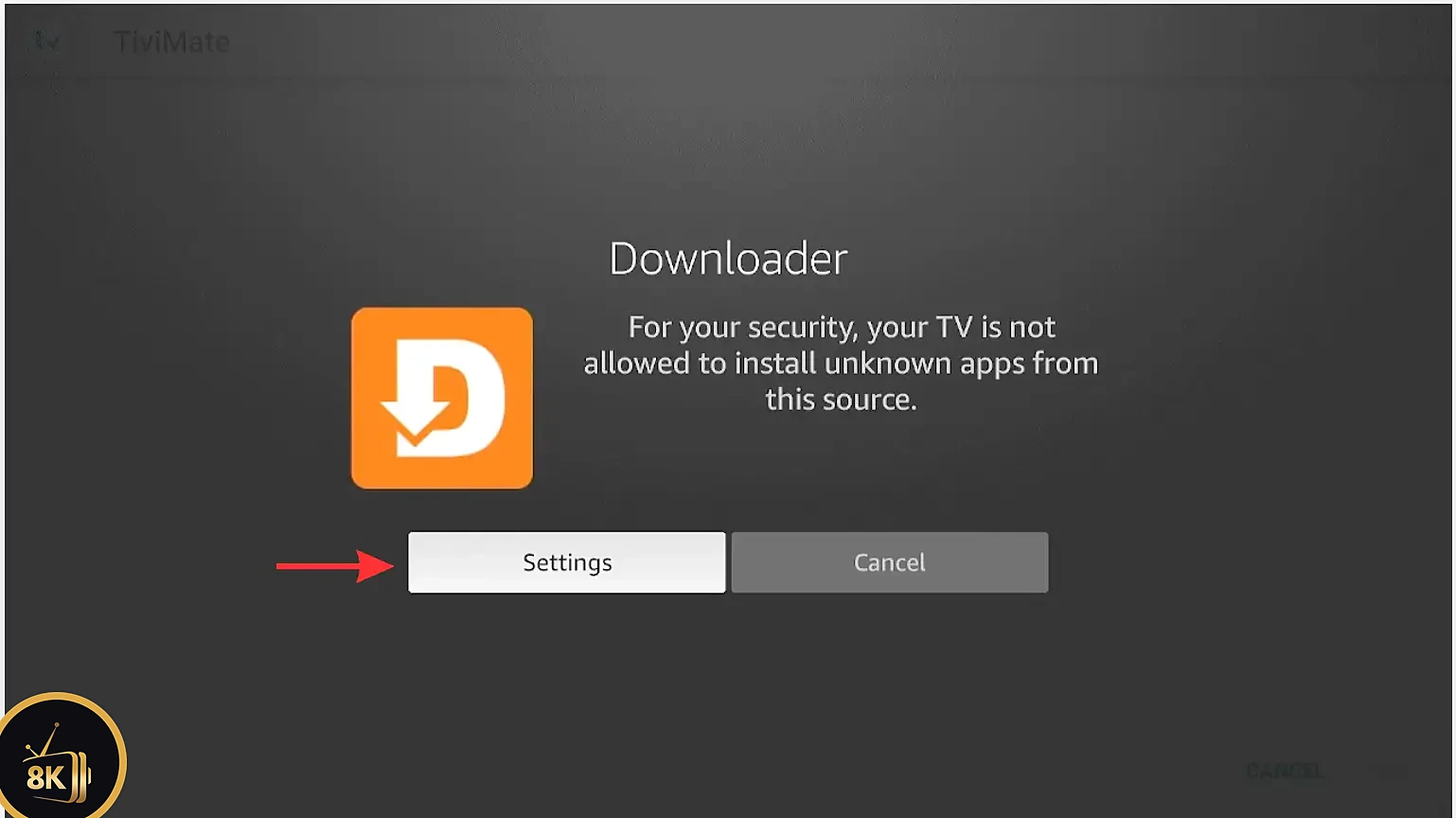
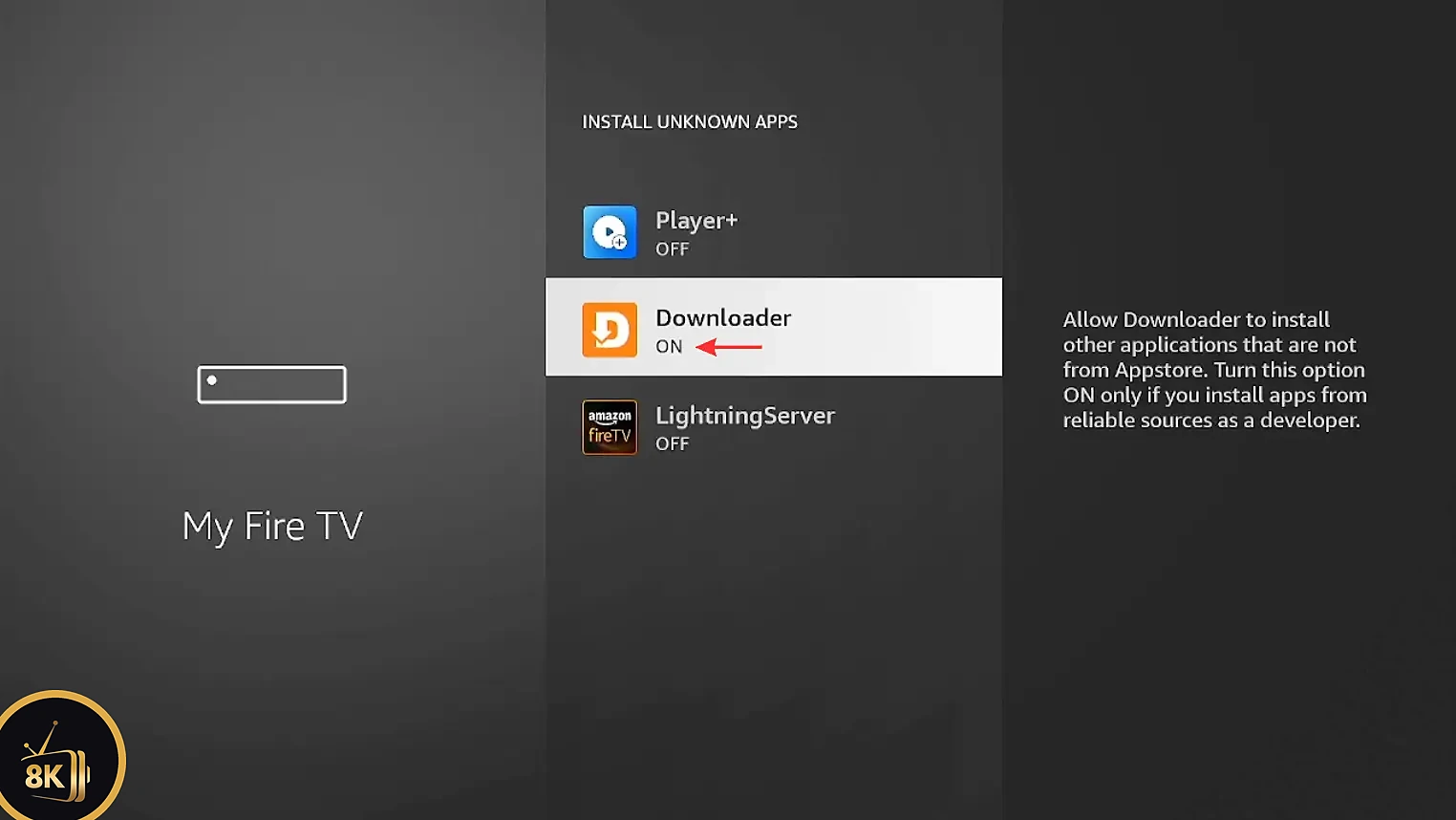
Select Install Unknown Apps.

Find Downloader in the list.

Switch Downloader from OFF to ON, then press Back to return to the download.
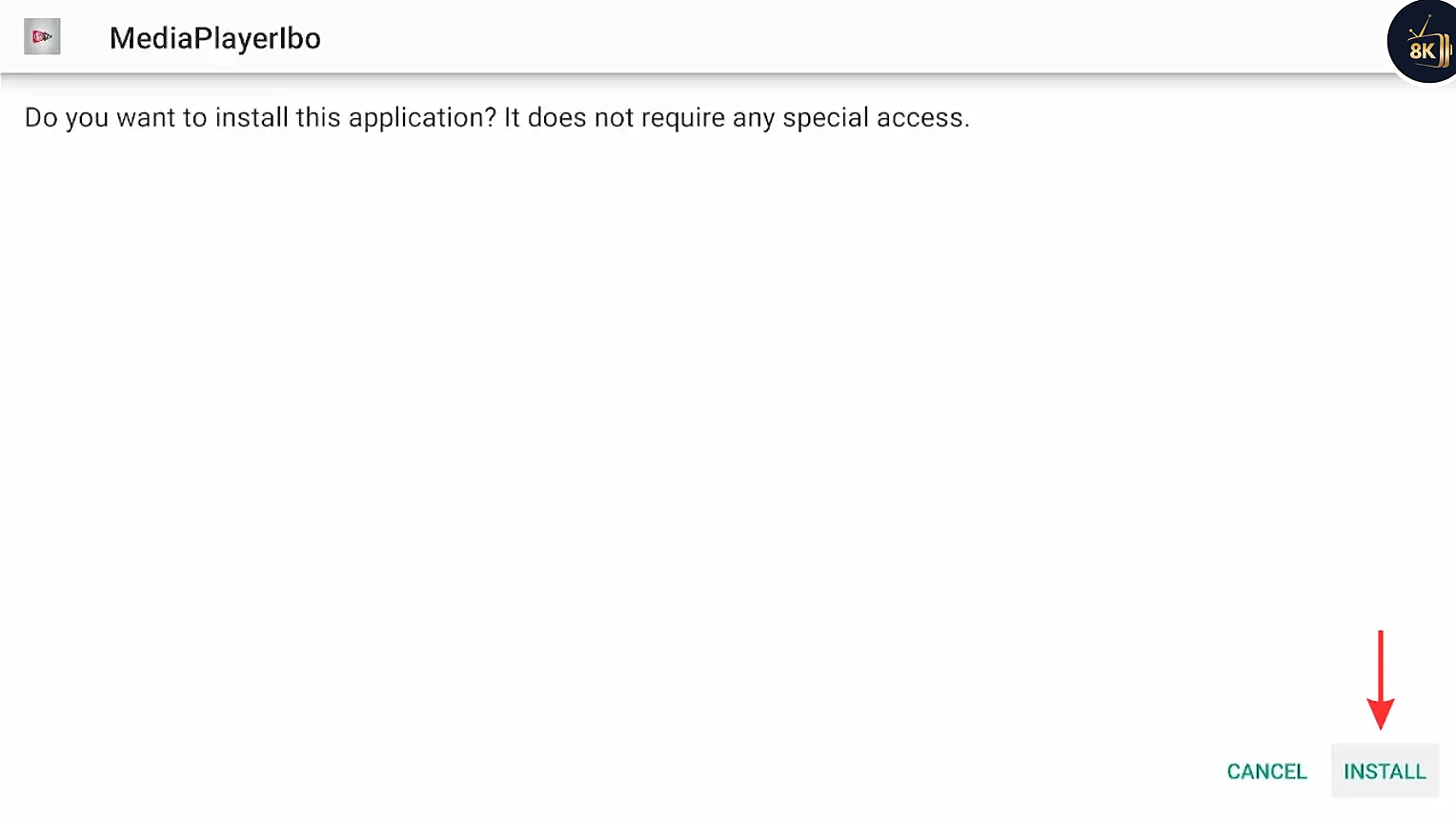
Press Install.

Confirm by pressing Install again and wait for it to finish.
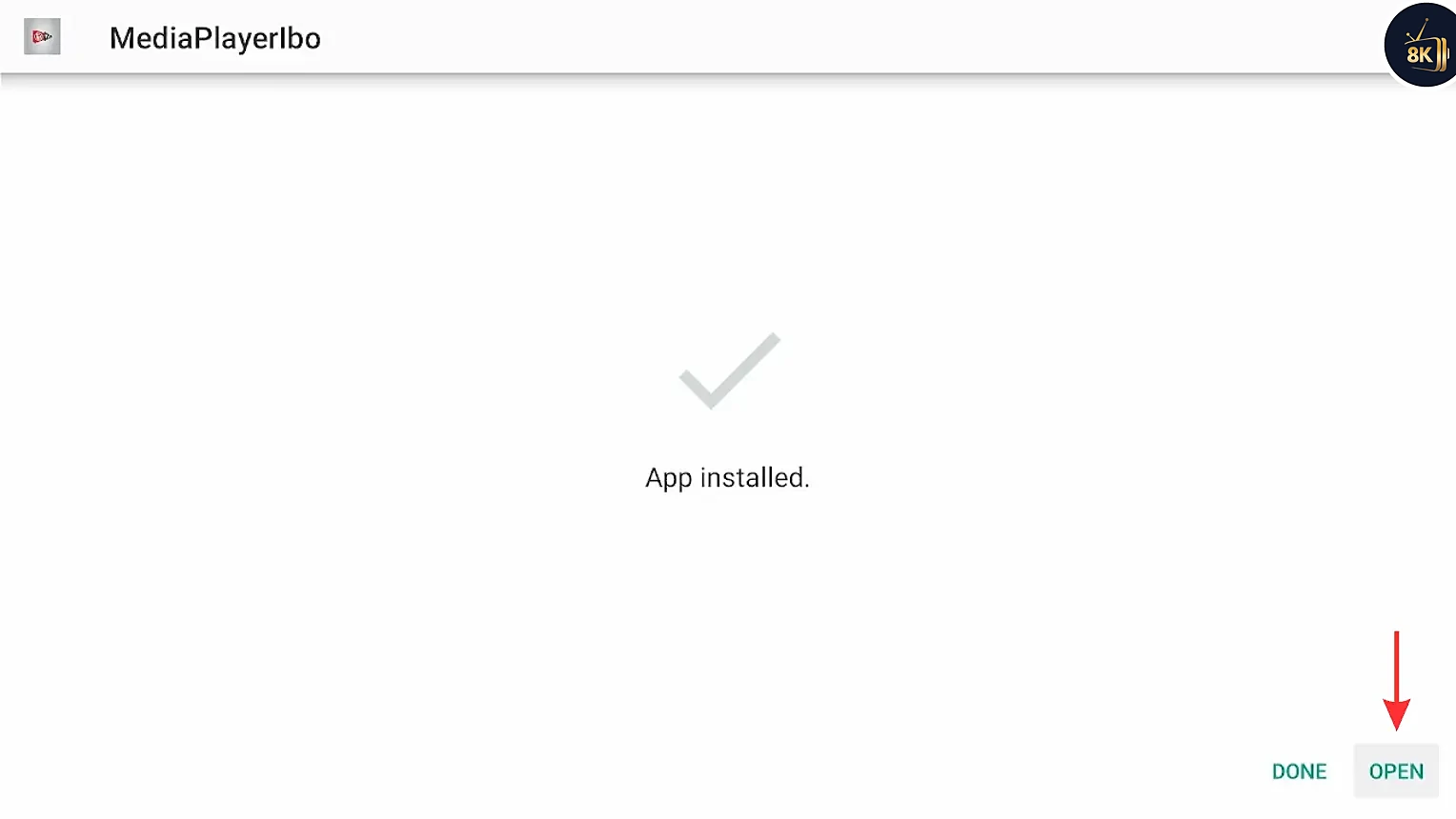
Press Open to launch IBO Player. Tip: go back to Downloader and delete the APK file to free up storage.
Step 3: Get Your M3U Playlist
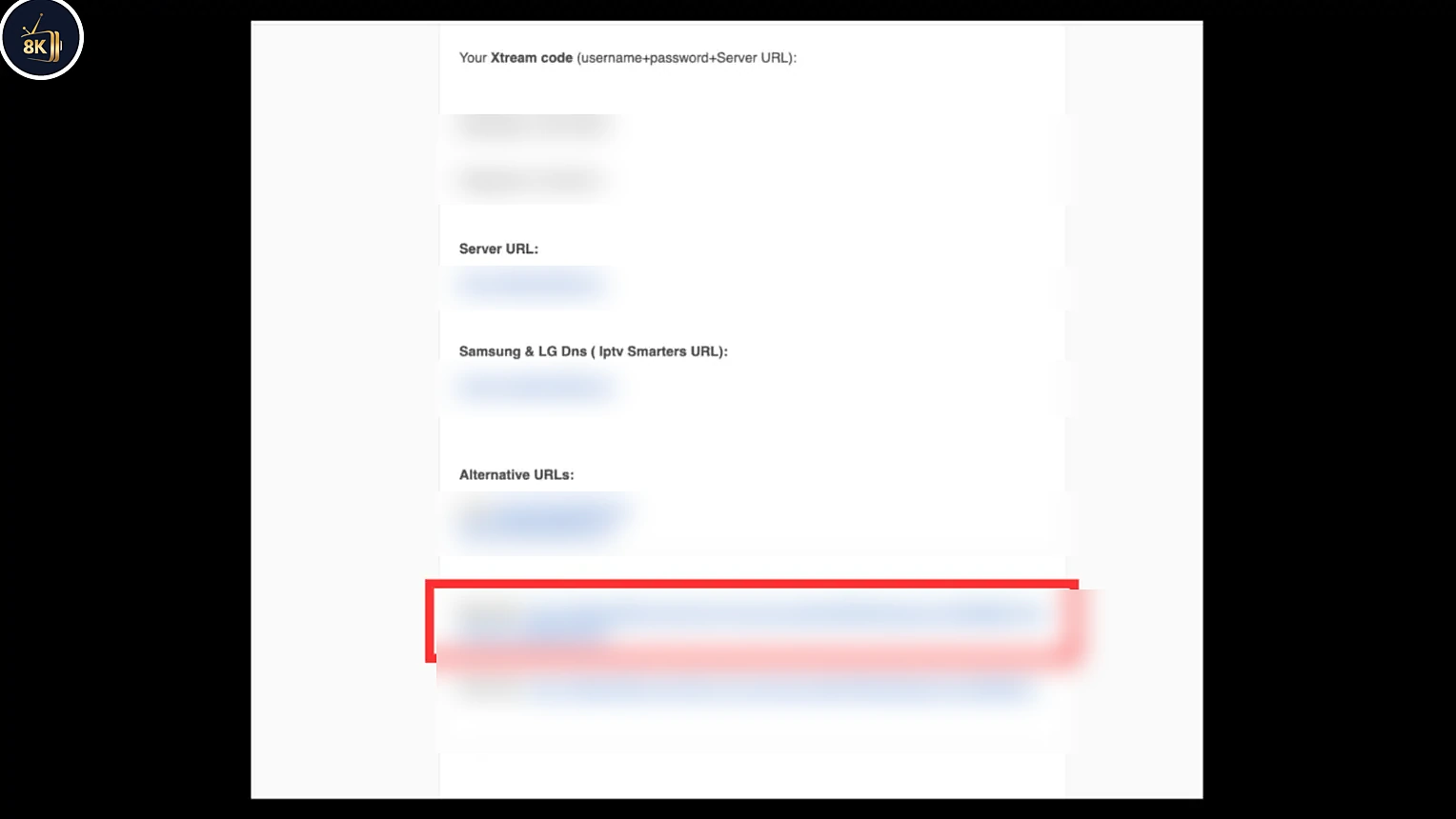
IBO Player is empty until you add a playlist. To watch live TV, movies and series you need an M3U link from an IPTV provider. With 8K IPTV Strong you get your M3U link by email right after you start your free trial or subscription. See how to get your M3U link step by step.
Get your M3U link with a 24-hour free trial
Try 8K IPTV Strong with IBO Player on FireStick free for 24 hours. No payment needed. IBO Player activation is included with our 6-month and 12-month plans.
54,000+ channels
Live TV from around the world.
240,000+ VOD
Movies and series updated daily.
4K & FHD
Crystal clear picture quality.
24/7 support
Help with setup any time.
Step 4: Activate IBO Player and Add Your Playlist
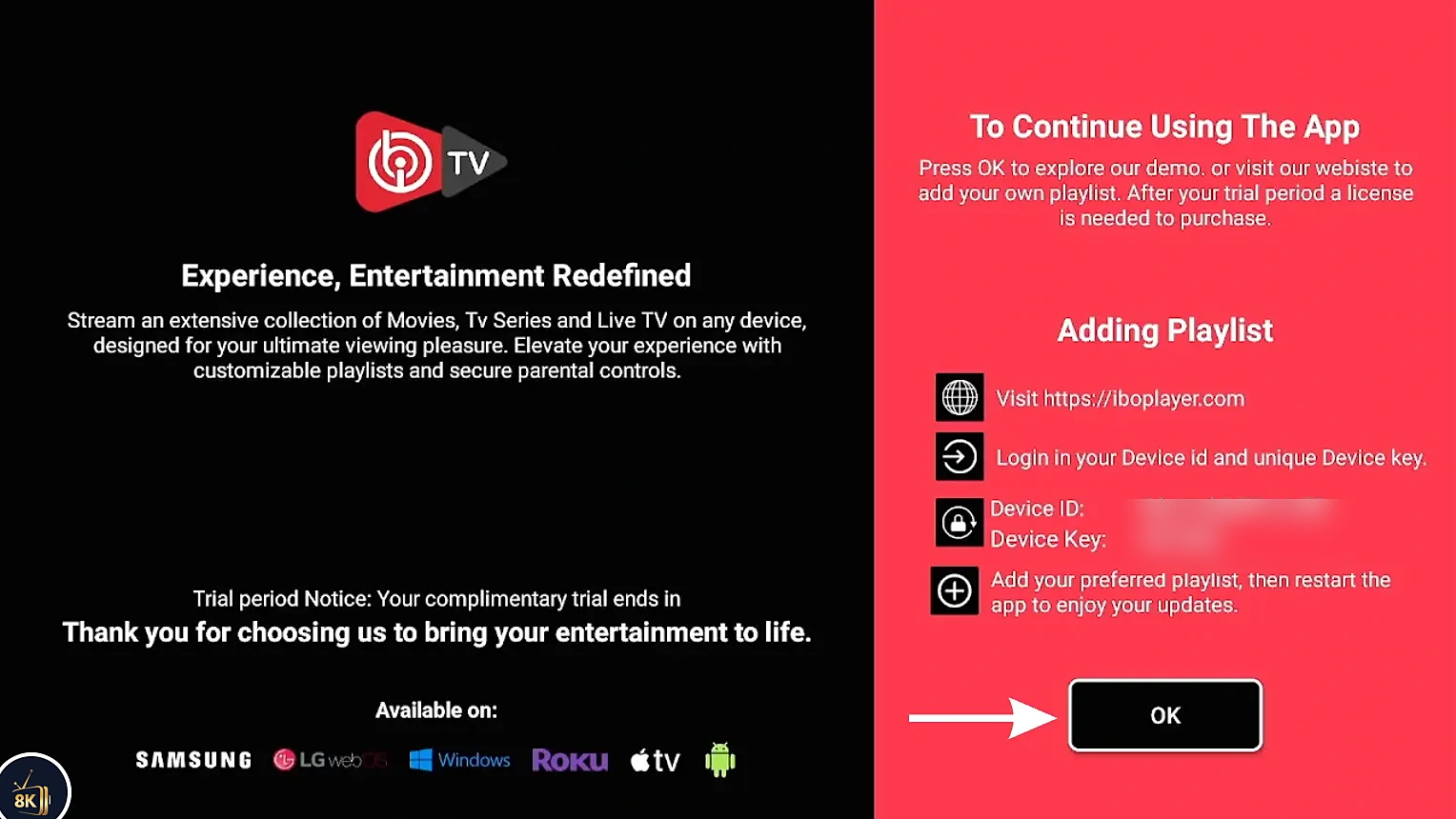
Open IBO Player on FireStick and write down the MAC Address and Device Key shown on the screen.
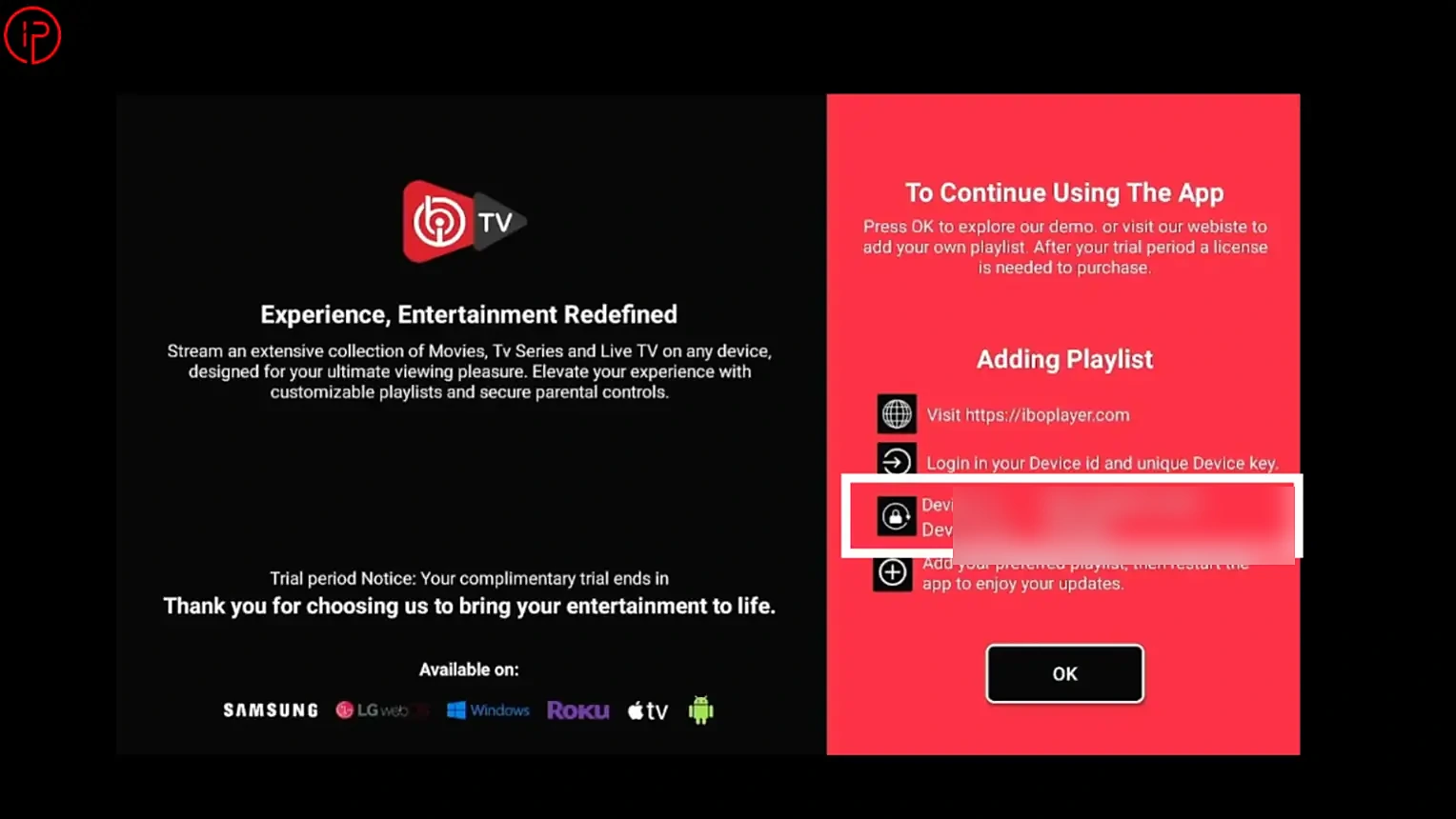
Copy the M3U URL you received in your 8K IPTV Strong email.
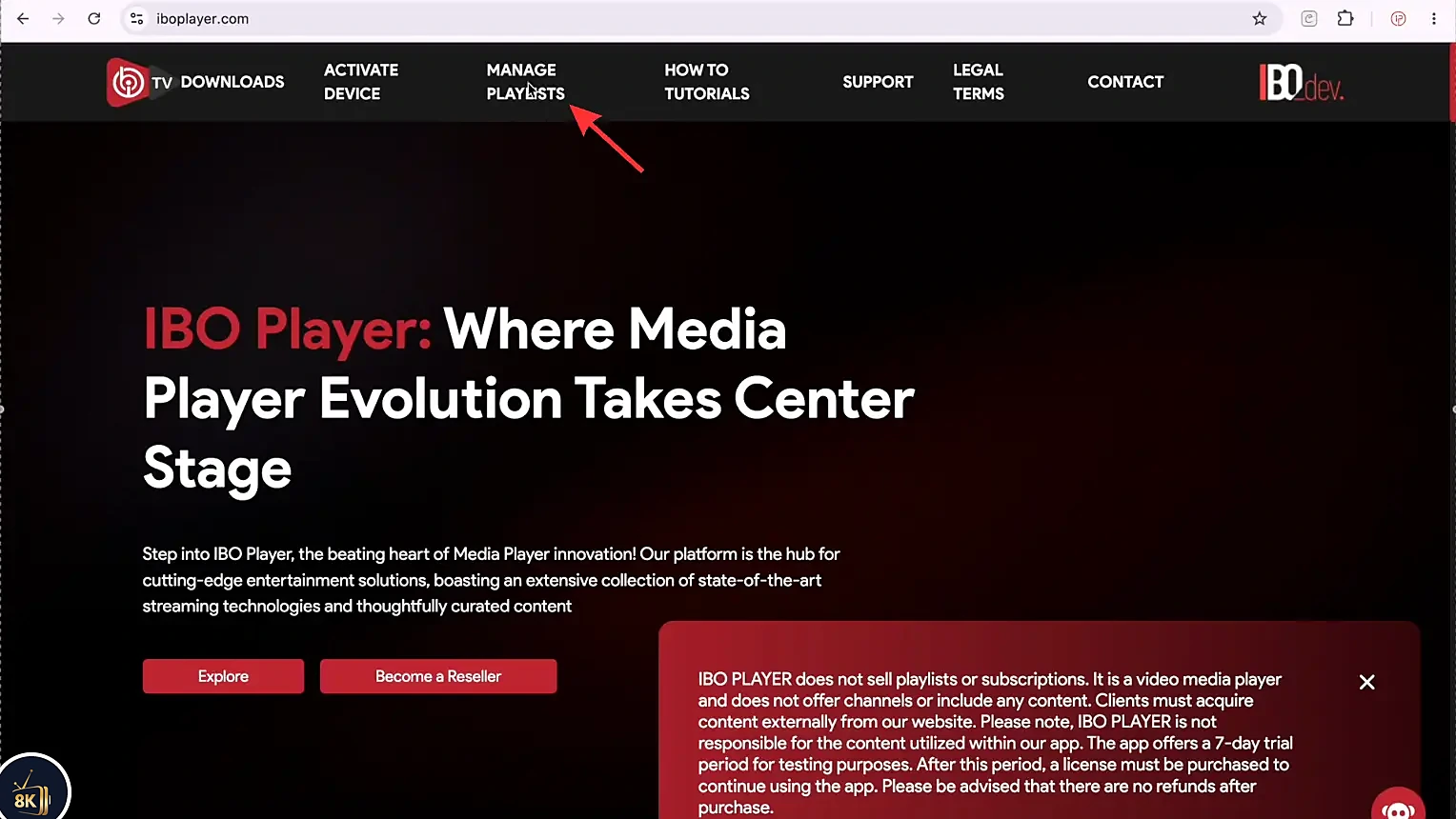
On your phone or computer, open a browser and go to the official IBO Player website (iboplayer.com), then click Manage Playlists or Login.
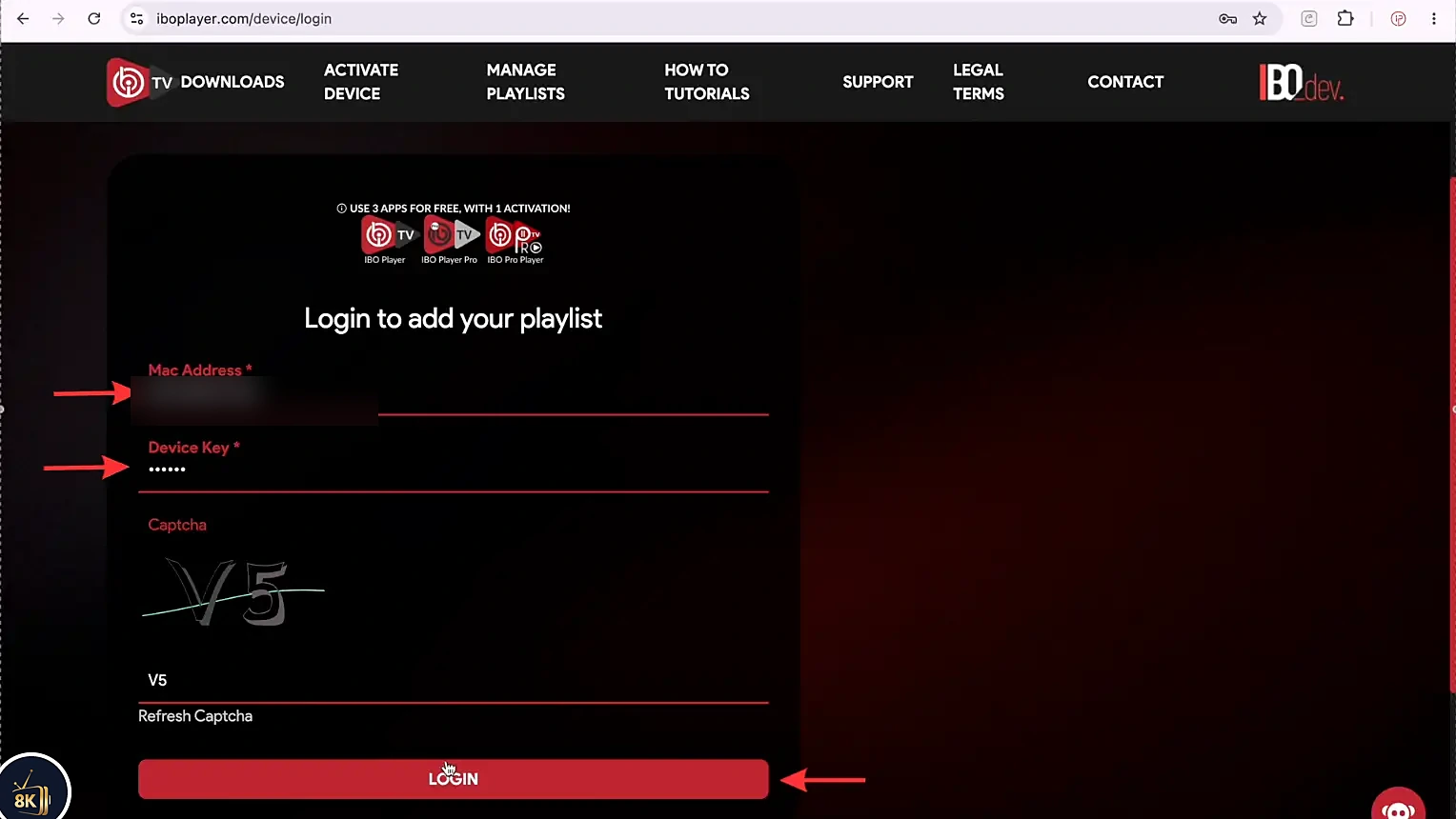
Enter your MAC Address and Device Key, fill in the captcha and press Login.
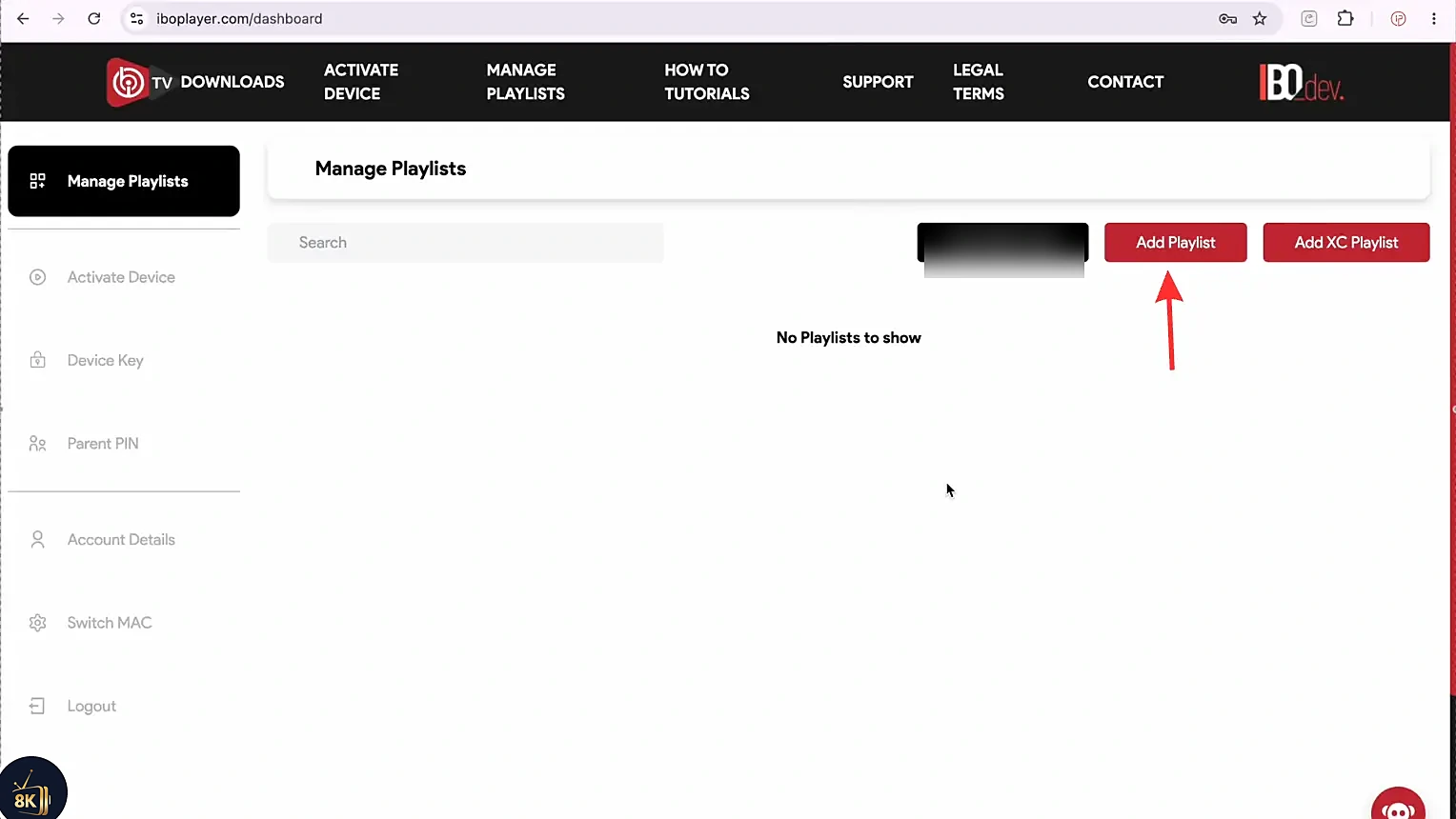
Click Add Playlist.
Give your playlist a name (for example 8K IPTV Strong), paste your M3U URL and press Save.
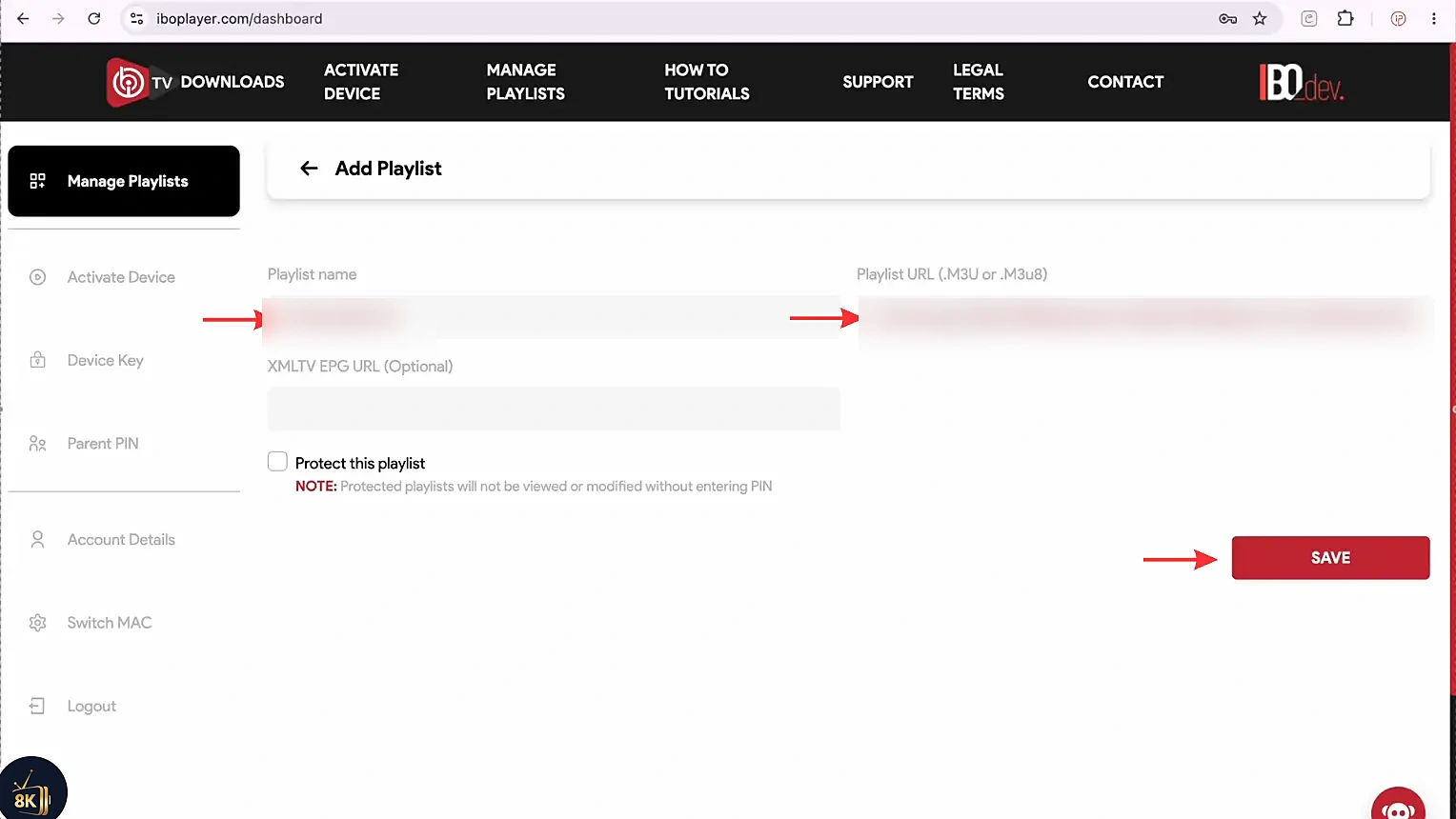
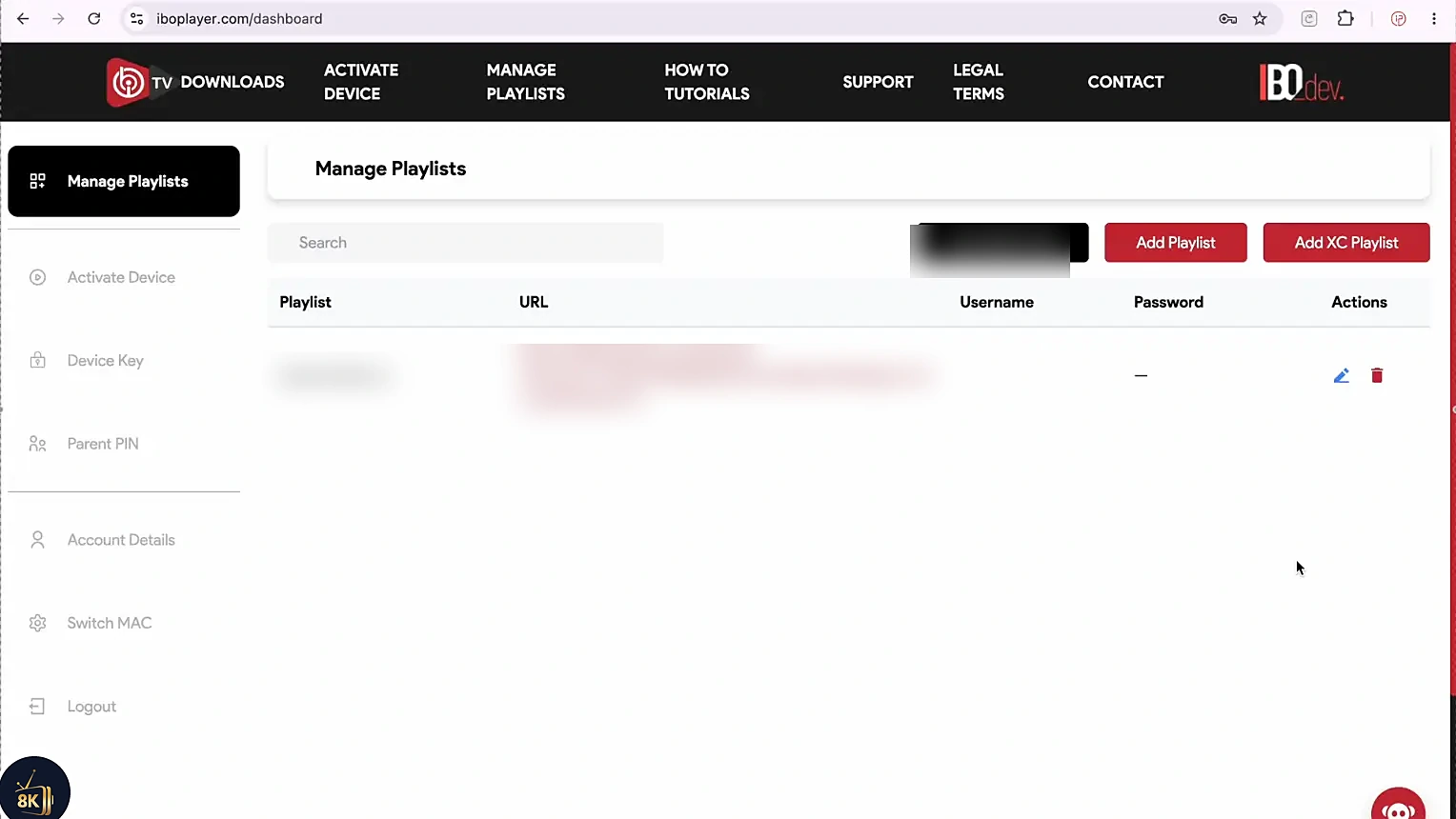
You will see a message confirming the playlist was added successfully.
Go back to IBO Player on FireStick and press OK or Refresh to load the playlist.
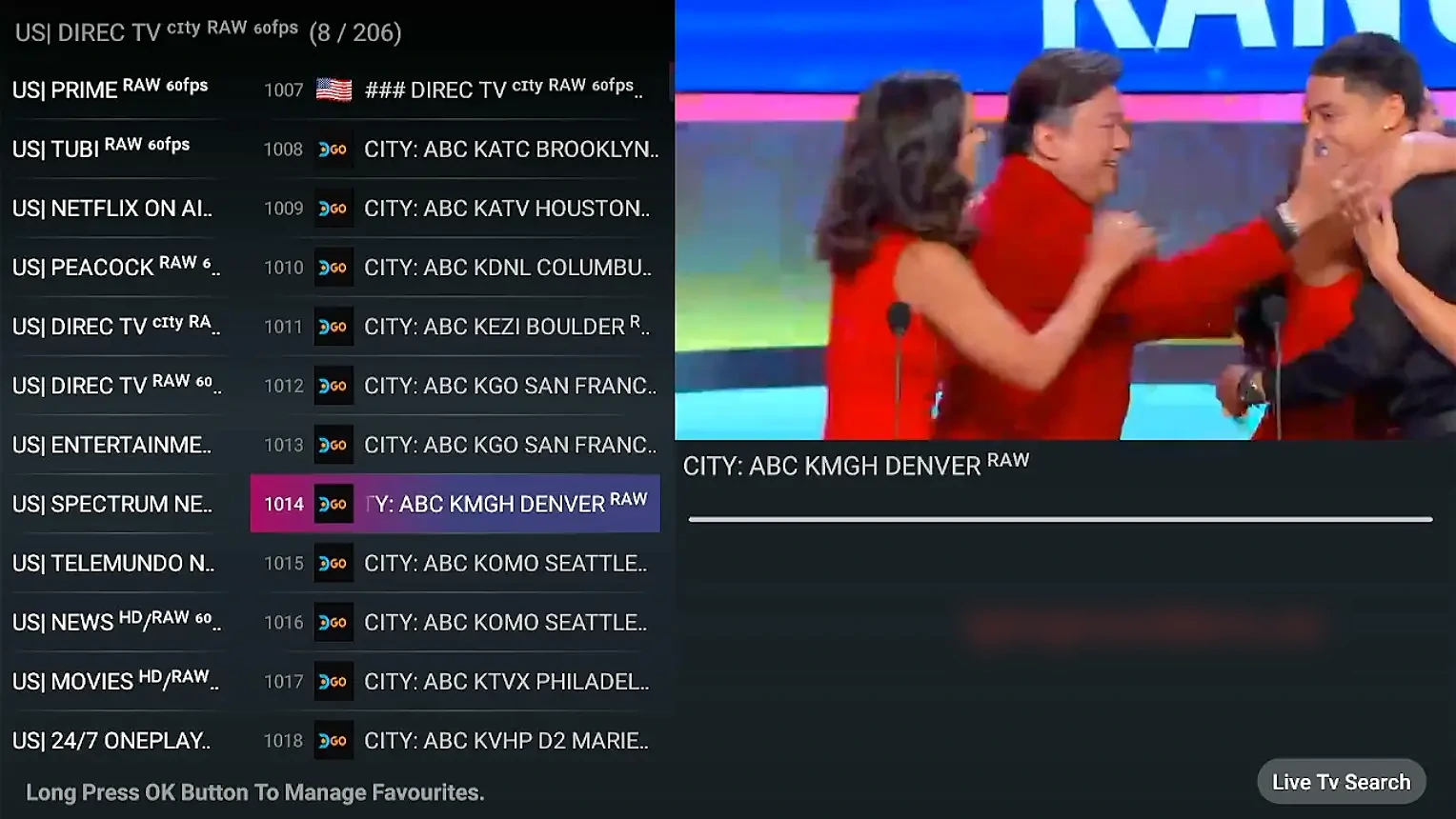
Choose Live TV, Movies or Series.

Pick a channel and enjoy IBO Player on FireStick.
Your 8K IPTV Strong subscription runs on all the popular IPTV players for FireStick, Android, Smart TV and iOS.










Tips for Using IBO Player on FireStick
Use a stable connection
An Ethernet adapter or 5 GHz Wi-Fi gives the smoothest playback.
Clear the cache
Clear IBO Player cache in FireStick settings if it starts to lag.
Keep your keys private
Never share your MAC address and device key with anyone.
Refresh after changes
Press refresh in the app every time you edit a playlist.
IBO Player on FireStick Not Working? Quick Fixes
Invalid MAC address or device key
Check each character carefully. Letters and numbers like 0 and O are easy to mix up. The MAC address uses the format 00:1A:2B:3C:4D:5E.
The app asks for activation
The free trial period of IBO Player has ended and the device needs an activation license. Customers on our 6-month or 12-month plans get it activated free. Contact our support with your MAC address.
No channels after adding the playlist
Press refresh in the app, then restart your FireStick. Make sure your M3U link has not expired and that your subscription or trial is still active.
Channels buffer or freeze
Test your internet speed, restart your router and close other apps running in the background on the FireStick.
IBO Player on FireStick vs Other IPTV Apps
| App | Downloader code | Price | Login type |
|---|---|---|---|
| IBO Player | 511693 | Trial + activation | M3U via MAC & key |
| 8K IPTV App | 6883465 | Free | Username & password |
| IPTV Smarters Pro | 6468112 | Free | Xtream Codes / M3U |
| TiviMate | 272483 | Free / Premium | Xtream Codes / M3U |
Prefer an app without activation? Follow our guide to install the 8K IPTV App on FireStick, or see the full IPTV setup guide for all devices.
Frequently Asked Questions
IBO Player comes with a short free trial period. After that, the app needs a one-time activation license to keep working. With the 6-month and 12-month 8K IPTV Strong plans, IBO Player activation is included at no extra cost.
The Downloader code for IBO Player is 511693. Type it into the Downloader app search bar on your FireStick, press Go, and the APK will start downloading.
No. IBO Player is only a media player. It does not include any channels, movies or series. You must add your own M3U playlist or Xtream Codes login from an IPTV provider like 8K IPTV Strong.
Open IBO Player on your FireStick. The MAC Address and Device Key are displayed on the main screen. Write both down exactly as shown, because you need them to log in on the IBO Player website and upload your playlist.
Yes. You can add several playlists to the same device from the IBO Player playlist manager, then switch between them inside the app.
Go back to the app and press OK or Refresh on the home screen. If it still does not appear, check that you entered the MAC address and device key correctly and that your M3U link is active.
Both work well. IBO Player is great for M3U playlists and a clean interface, while the 8K IPTV App is free and logs in directly with username and password. Many users install both.
Start your free 24-hour trial today, get your M3U link in minutes and enjoy 8K IPTV Strong on your FireStick.