











How to Get Free Xtream Codes in 1 Minute
Get your Xtream login (username, password and server URL) for free with the 24-hour 8K IPTV Strong trial. Watch the video or follow the screenshots below.
Video Tutorial: Get Your Free 24H Trial (Xtream Codes + M3U)
Quick answer: Go to 8kiptvstrong.com, click Get 24H Free Trial, press Checkout, create your account and click Complete Order. Then open Client Area → View Details to see your username, password and server URL. They are also sent to your email.
In this guide
What Are Xtream Codes?
Xtream Codes is the most popular way to log in to an IPTV app. Instead of pasting a long playlist link, you type three short details from your provider. The app then loads live TV, movies, series and the TV guide automatically.
Server URL
The address of your IPTV server.
Username
Your personal account name.
Password
The password for your account.
Auto EPG
The TV guide loads by itself.
How to Get Your Xtream Codes (Step by Step)
Go to 8kiptvstrong.com and click Get 24H Free Trial (or open 8kiptvstrong.com/trial). The free 24-hour trial is added to your cart in our secure client area.
Check that 24 Hours – Free Trial at $0.00 is in your cart, then click Checkout.
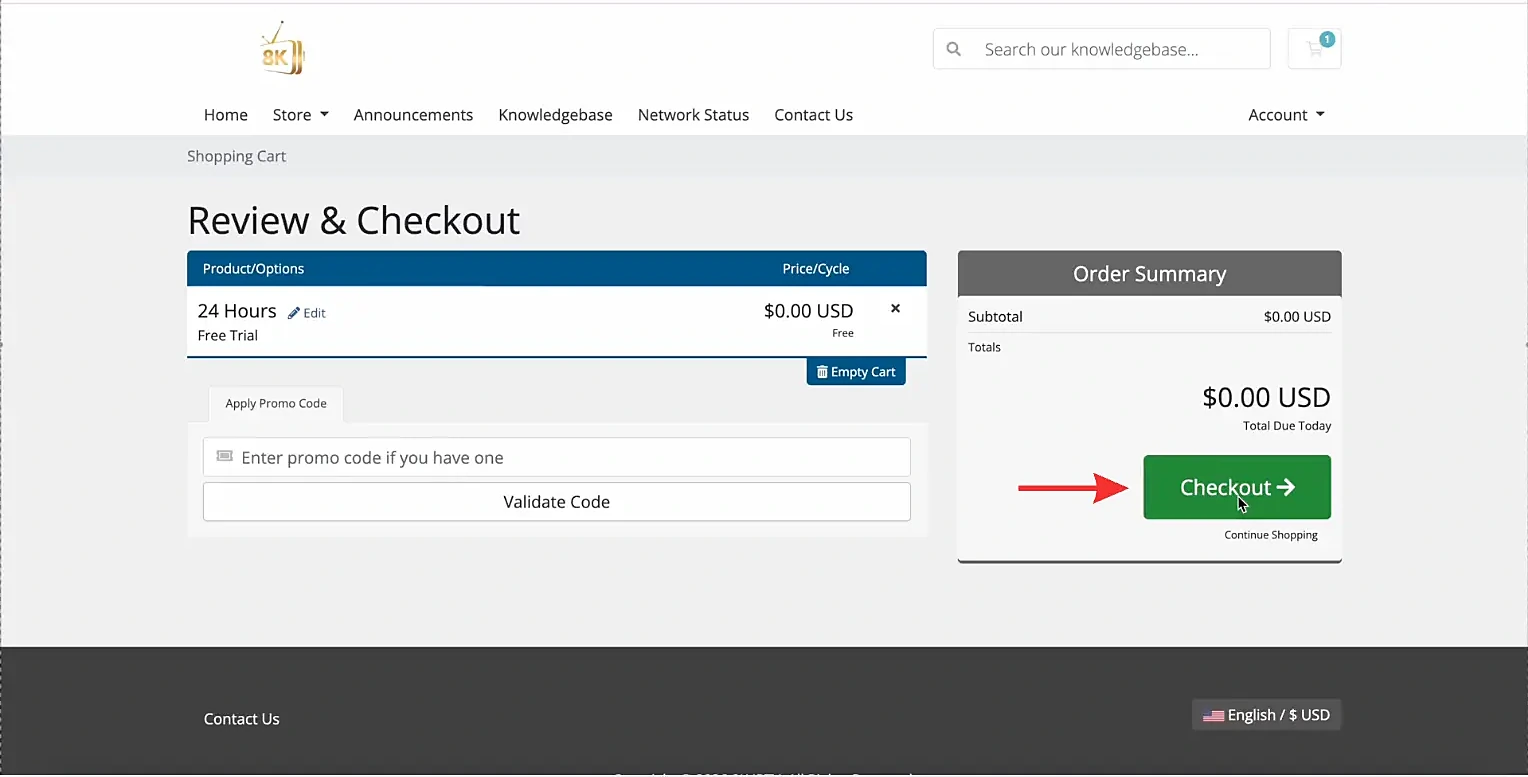
Fill in your details. Use an email address you can open, because your login details are sent there. Click Generate Password (or type your own) to create your account.
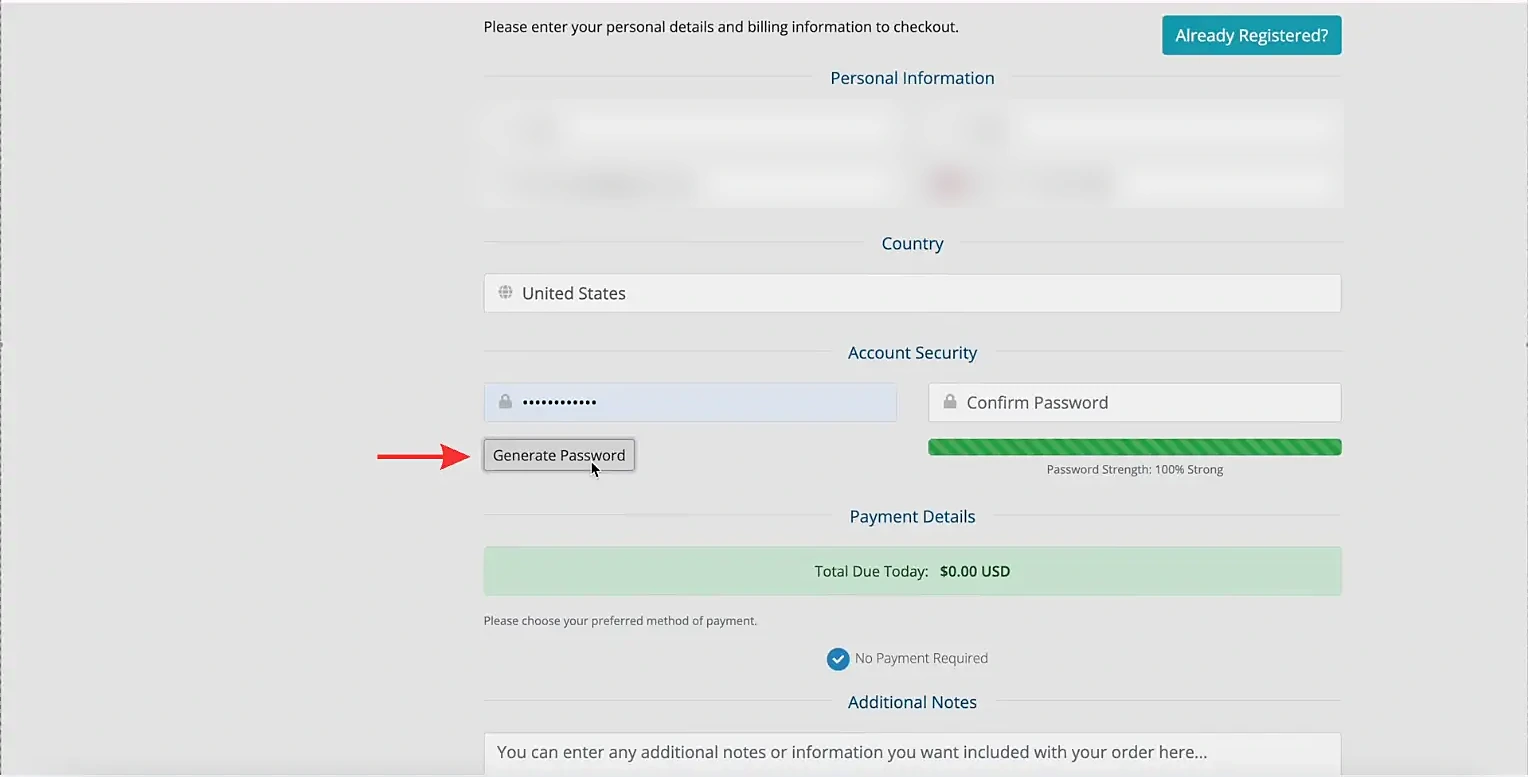
Scroll down. No payment is required for the trial. Click Complete Order.

On the order confirmation page, click Continue To Client Area.
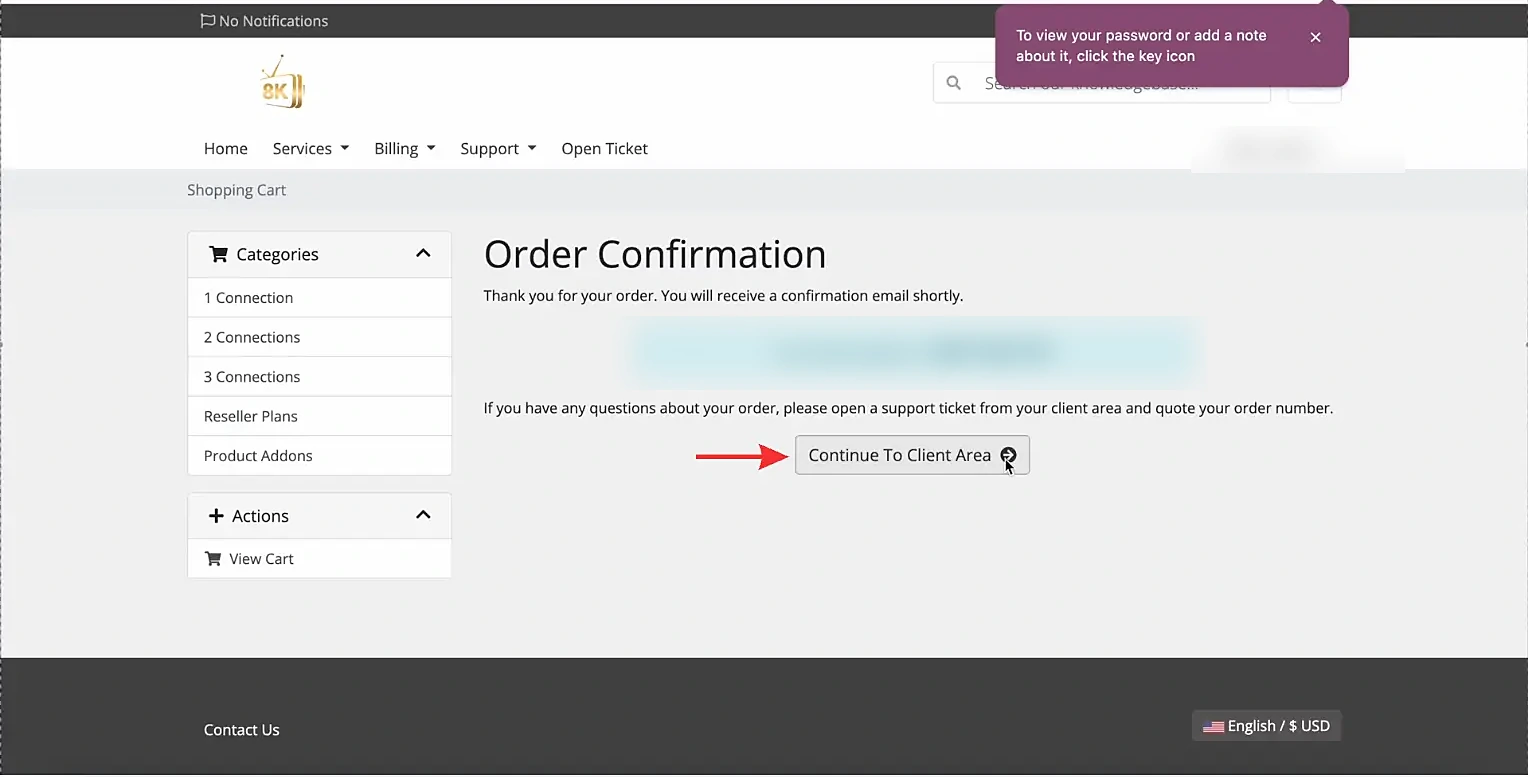
Under Your Active Products/Services, click View Details next to Free Trial – 24 Hours.

Your login details are ready. Copy your Trial Credentials (Username, Password and Server URL) with the copy button next to it.

The same details are also sent to your email: the Xtream login (username, password and server URL) and the M3U URL and EPG URL. Check your spam folder if you do not see the email.


Get your IPTV login with a 24-hour free trial
No payment and no commitment. Your login details arrive in minutes.
54,000+ channels
Live TV from around the world.
240,000+ VOD
Movies and series updated daily.
4K & FHD
Crystal clear picture quality.
24/7 support
Help with setup any time.
Xtream Codes vs M3U: What's the Difference?
| M3U playlist | Xtream login | |
|---|---|---|
| What you enter | One long playlist URL | Username, password and server URL |
| TV guide (EPG) | Separate EPG URL | Loads automatically |
| Movies & series | Included in the playlist | Organised in separate sections |
| Best for | IBO Player, Smart IPTV, VLC, Kodi | IPTV Smarters Pro, TiviMate, 8K IPTV App |
Using an app that only accepts a playlist link? Read our guide on how to get an M3U playlist. Both come with the same free trial.
How to Use Your Xtream Codes
Open your IPTV app, choose Xtream Codes (or Login with Xtream Codes API) and enter your username, password and server URL exactly as shown. Follow our step-by-step guides for IPTV Smarters Pro, TiviMate and the 8K IPTV App, or see all devices in our IPTV setup guide.
Your 8K IPTV Strong M3U link and Xtream Codes work on every major IPTV player for FireStick, Android, Smart TV, iOS and PC.












Tips for Using Xtream Codes
Type carefully
Usernames and passwords are case sensitive.
Use the full server URL
Include http:// and the port if one is given.
Keep it private
Never share your login details publicly.
Refresh content
Use the refresh button in your app to load new channels.
Xtream Codes Not Working? Quick Fixes
Invalid username or password
Copy the details from your client area instead of typing them, and check there are no extra spaces.
Server URL not accepted
Make sure the URL starts with http:// and has no slash at the end. Some apps need the port number too.
I did not receive the email
Check your spam or promotions folder. Your details are always available in the client area under View Details. Still stuck? Contact our support team.
Frequently Asked Questions
Start the free 24-hour trial on 8kiptvstrong.com. After you complete the free order, your username, password and server URL are shown in your client area under View Details and sent to your email.
Xtream Codes is a login method for IPTV apps. It uses three details from your provider: a server URL, a username and a password.
IPTV Smarters Pro, TiviMate, the 8K IPTV App, IBO Player, XCIPTV, Smart STB and many other IPTV players support Xtream login.
No. With Xtream Codes the TV guide, movies and series load automatically from the server.
No. Trial details work for 24 hours. When you subscribe, you receive login details that stay active for the whole length of your plan.
Check the username and password character by character, make sure the server URL starts with http:// and includes the port if one is given, and confirm your trial or subscription is active.
Use Xtream Codes whenever your app supports it: it is easier to type and organises content better. Use the M3U link for apps that only accept a playlist URL.
Start the 24-hour free trial and receive your username, password and server URL in minutes.